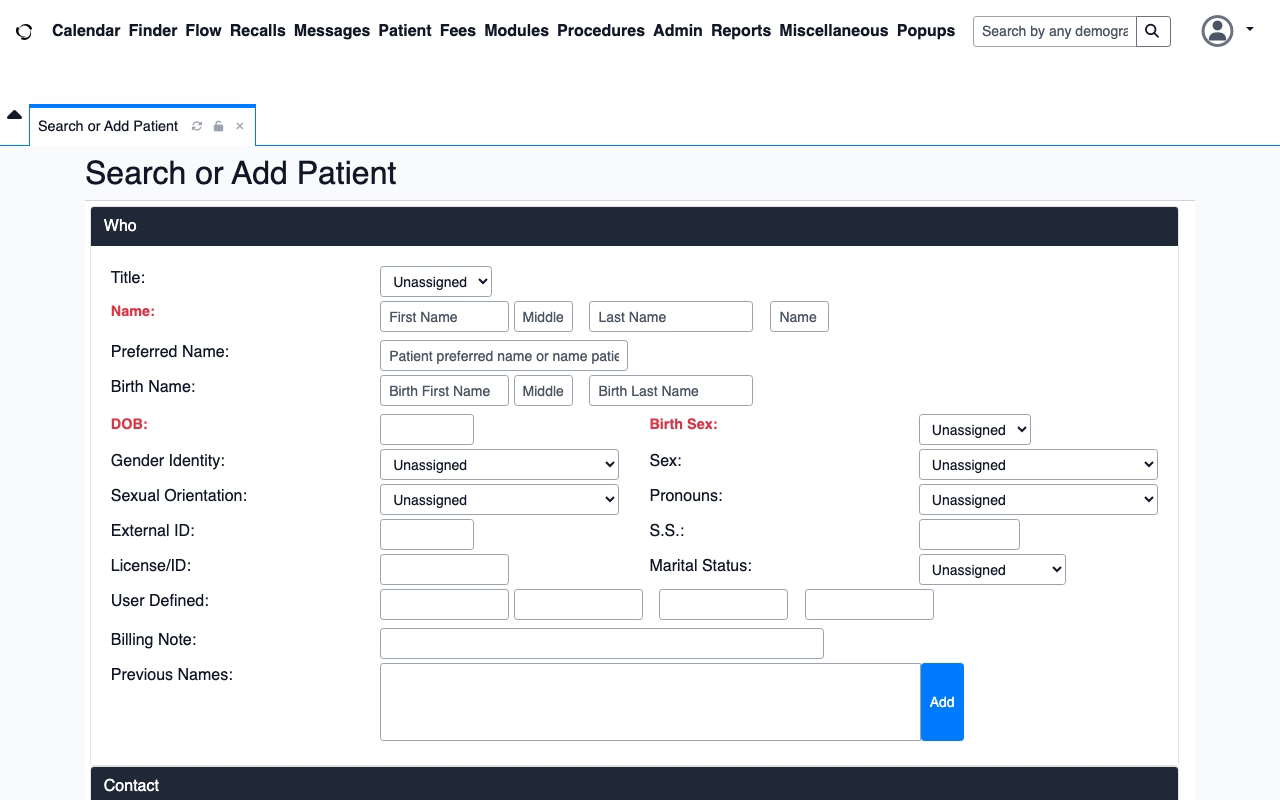
Everything shown uses synthetic data. The footage is captured from real OpenEMR, Frappe Lending, and openIMIS application interfaces. The openIMIS run evidence below is retained from six fresh Standard-profile executions.
From demonstration to verified execution
Choose an application, then switch between its source demonstration and compiled replay. openIMIS also includes the exact fail-safe halt footage. Guided view adds the retained runtime status and exact frame-bound target; Raw footage leaves the source video untouched.
OpenAdaptObservingStep 1 of 33
Observing the application
0:00 / 0:00
Guided view synchronized to the exact retained runtime timeline; raw footage remains unchanged.
1
DemonstrateCapture the task and its evidence.
2
ExecuteReplay the compiled workflow locally.
3
Verify or haltProve the effect, or stop for review.
What the labels and overlay mean
Standard profile
The run uses the declared policy, identity checks, postconditions, effect verification, and retained evidence as one contract.
VERIFIED
The authorized workflow completed and every required check proved the intended result.
HALTED
OpenAdapt stopped without claiming success because a required result check was refuted or could not be proven.
Guided overlay
The viewer adds status from the exact retained timeline. A target appears only when it is bound to that exact decoded video frame.
Try the mobile decision experience
Switch among all six pause types. Answer inside the phone, then inspect the distinct result returned by the customer-controlled runner.
Interactive phone experience · synthetic data
Six reasons a workflow can ask for help.
Choose a request type. Then answer it inside the phone to see the customer-controlled runner result.
6 pause reasons
Public simulatorThe phone below uses synthetic tasks and the same request, action, and result components as the authenticated queue. A connected runner sends a signed task through Cloud. This OpenEMR fixture supplies the word “patient”; a qualified live task supplies its reviewed entity class.
1
Open securelyScan the QR code, sign in, then enable alerts.
2
Answer one requestThe phone shows only permitted actions.
3
Verify on the runnerThe runner rechecks and returns a receipt.
See the complete live sequence
Desktop connects the customer runner to its configured control plane.
The runner projects one signed decision task to the authenticated phone view.
The operator opens that view with the QR code and signs in.
The phone shows only the actions Flow permits. It has no execution authority.
The customer runner checks the live application again, then returns a receipt.
9:41● ◒ ▰
OA
OpenAdapt customer runner
⌕
Record identityNot sent
!
OpenAdapt needs your help
Open the intended patient record.
The record identity did not match. OpenAdapt stopped before Save.
ActionNot sentCheckPatient record
Screen when OpenAdapt stoppedOpenEMR · retained evidence
Captured when OpenAdapt stopped · synthetic patient data · not live
↻
After your answerOpenAdapt will check the patient identity and target again.
The phone records an answer. The runner checks the live application again. Only the runner can return a verified result.
Focused screenshot route: /demo/attention. Production decisions remain authenticated at /dashboard/attention.
openIMIS Standard execution evidence
This lower deep-dive covers one real openIMIS eligibility workflow, two business conditions, and three fresh trials per condition. Success required independent read-only SQL confirmation; a contradictory result had to halt.
openIMIS 25.10 · browser · synthetic sample data · mean runtime 19.7 s · observed off-box transmissions: 0
1 · A demonstration became an inspectable program
This graph was emitted from the exact compiled workflow used by the campaign. Expand a step to see how it resolves its target, checks record identity, verifies the screen, and proves the final business effect. Stop rules isolates the fail-safe boundary.
source flag: PHI not declaredlinear programcompiler 1.23.0
Data note: the PHI source flag is bundle metadata. It does not prove that an artifact is safe to send or publish.
WorkbenchFollow the exact emitted edges and select any step.
Compiled topology7 nodes · 6 exact edges
The layout follows the emitted edge targets. Back edges remain explicit. Select a node to inspect its gates.
How to read this: each step shows how it re-finds its target (resolution ladder), whether it confirms it is acting on the right record (identity gate), what real system-of-record change it checks (effect), and where it will stop rather than guess (halt point). This is the same compiled program used by this campaign. A live verdict appears only when an exact run trace binds the program occurrence to retained evidence.
Three consequential actions are identity-gated. The final action has an independently checked effect and an explicit halt path. Recorded pointer positions remain provenance; the compiled browser workflow resolves structural targets rather than replaying a blind coordinate.
2 · The same workflow produced two precise outcomes
The browser sequence is identical. The independent effect verifier determines whether the evidence supports VERIFIED or requires HALTED.
Eligible policy · 3 trials
Business result independently confirmed
VERIFIED 3/3
Read-only SQL confirmed the policy, product, service, and effective-date state. All required authorization, identity, screen, and effect contracts passed.
Read-only SQL returned Ineligible where the declared effect required Eligible. OpenAdapt did not accept the browser screen as success and did not retry the consequential action blindly.
A workflow declares the weakest evidence it may accept. The public Oracle ladder has one direction: tier 0 is visual evidence, tier 1 is a separate read-only session, tier 2 is a system-of-record read, and tier 3 is a counterparty acknowledgment.
Observed evidence strength
Oracle tier 2 · System of record
This campaign queried openIMIS through a separate read-only SQL connection. The browser that performed the task could not certify its own result. The workflow required persisted-state reacquisition and received the stronger system-of-record proof.
Every public artifact is byte-inventoried. Media targets are shown only when the runtime timeline, media hash, decoded frame index, and viewport geometry agree. Raw footage never receives a fabricated overlay.
Evidence class: Standard execution evidence. A signed qualification campaign remains a separate artifact class; successful executions are never silently relabeled as certification.
Try the product or bring your own workflow
Run the open-source workflow locally, explore the Cloud workspace, or qualify one repeated workflow against its real application and business result.